
TL;DR: A strong D team shares knowledge, stays organized, and checks each other’s work from the first design to the final build. When both sides plan for real content and future updates, the result is a website that is easier to build, edit, and grow.
A website is only as strong as the working relationship behind it.
Designers decide how a site looks and feels. Developers make it work in a browser. When the two collaborate from the first sketch, the finished website matches the approved design, works the way it should, and is easier to update later.
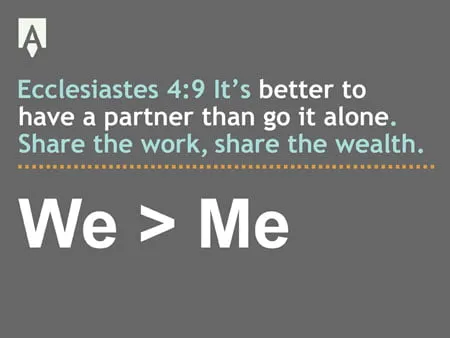
Designers and developers do their best work when they think in terms of “we” rather than “me.” Good working relationships across a web project, whether designer to developer, developer to programmer, or even project manager to client, lead to better-quality work and a more enjoyable process. That partnership is what we call the D team.
Whether you’re hiring a web team or building one, these habits show what great collaboration looks like. Here is how designers and developers can each strengthen the D team, followed by what it means for your project.
Designers Should
Train Developer
- Explain your design rationale. Explain the thinking behind your design decisions so your developer understands the goals and can contribute ideas or flag potential implementation challenges.
- Share design software tips and small tutorials. Always share information and knowledge with your team, but especially your developer who will be opening your design files.
Prepare and Brainstorm
- Know your Content Management System(CMS). Design with content output in mind and what your client truly can expect from the CMS.
- Ask questions during the design phase. Check with your developer during the design phase on any new design ideas early, so a client never approves something that is difficult to build.
- Push the developer. Don’t be afraid to propose new layouts or functions for your website designs and present them to your developer.
Specify Style
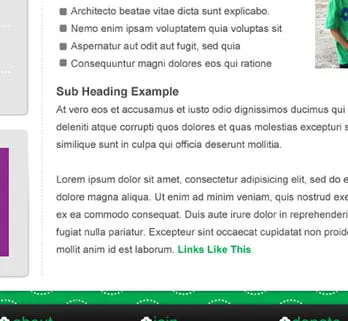
Style every standard website element for your developer. That includes how navigation looks in each state, how images are treated, and how headings (h1, h2, and h3), body text, bullets, and links appear.
Stay Organized and Consistent
A poorly built design file is one of the quickest ways to give a developer a headache. A few habits prevent it:
- Build files with a clean, consistent structure, so developers feel comfortable opening them on every project.
- Use a color palette. It helps keep the design cohesive and lets your developer quickly grab color numbers.
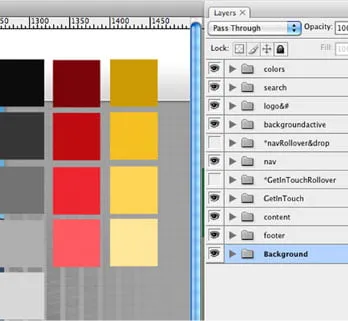
- Add guides. Without them, a developer may have trouble lining elements up.
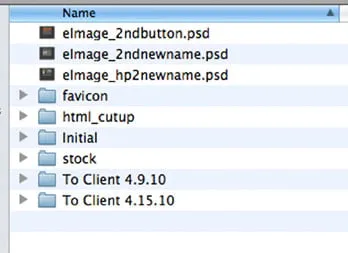
- Keep file folders clean, so it is obvious which file is the final design and which are support files.
Plan for the Real Site
- Anticipate page and website growth.
- Design for usability. Designing for form and forgetting functions will frustrate your client, their visitors, and your developer.
- Get ready for design changes. A website isn’t a perfect print layout. Things change when real content is in place or your client uses their CMS to make updates, so create a design that accommodates change.
- Plan new solutions with your developer. If they run into a problem with your design, work together on an alternative.
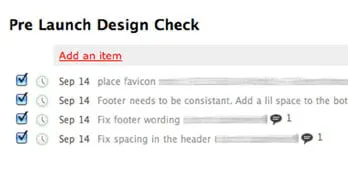
- Do pre-launch design checks. Don’t be afraid to point out errors; it is the designer’s job to confirm the design was built out accurately.
Developers Should
Train the Designer
- Help with overall tech knowledge and share bits of coding.
- Explain how designs are built out. When designers learn how developers work, they create design files that are easier to build from.
Prepare and Brainstorm
- Ask questions about the design during the design phase. If you’re unsure how to develop something, say so early.
- Manage expectations. Your designer will push you to develop new things, so explain exactly what each new piece will and won’t do.
- Think about future updates and edits. Work with your designer to identify which elements the client will edit on their own, and how you will return to make updates later.
- Share exciting things you find. Sharing knowledge benefits the whole team.
Be Accurate
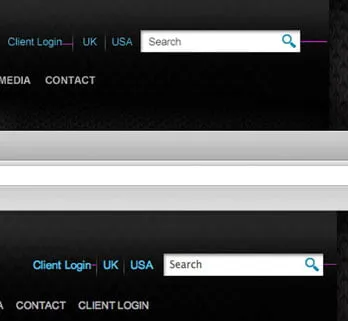
Great developers train themselves to see a designer’s details. A heading that sits a few pixels off, a font size that is slightly different, or a button color that doesn’t quite match all signal that details were missed. Margins, fonts and sizes, padding, line height, and colors all matter.
Show Initiative
- Approach your designer with ideas.
- Go above and beyond. Your designer works hard on the design files, so finish the job with everything you’ve got.
- Be willing to develop without a final design. If a special programmed piece needs extra style, jump in rather than wait.
Stay Organized and Review Your Work
- Write clean code. You never know who will need to make updates behind you.
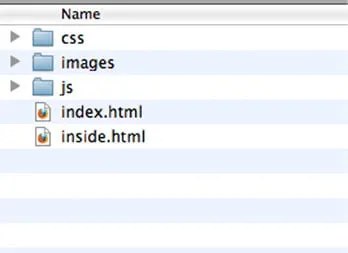
- Keep a clear file structure.
- Use checklists if necessary. Deliver complete development links and document your reviews so your team knows you’ve checked your work.
- Review the final CSS and development with real content in place.
Why Early Collaboration Beats a Late Handoff
Many teams treat design and development as a handoff: one side finishes and passes the work along. Planned overlap between designers and engineers can reduce risk, prevent miscommunication, and make project transitions smoother. This approach supports a handoff-free design process, where both teams collaborate throughout the project rather than passing work back and forth. That is the idea behind the D team: problems surface while they are still easy to fix.
What the D Team Means for Your Website Project
When designers and developers work as one team, you get a site that looks like the design you approved, works across devices, and doesn’t leave you stuck when it’s time to update content. Our web design team works this way on every project, and because we focus on WordPress web design, our designers plan layouts with the way you’ll edit your content in mind.
FAQs
What is the D team?
The D team is our name for designers and developers working as one collaborative team, sharing knowledge and checking each other’s work from the first design to the final build.
Why does collaboration between designers and developers matter to my project?
When both are involved early, build challenges surface before you approve a design. That helps prevent delays, rework, and surprises at launch.
What happens if my real content looks different from the placeholder text in the design?
It’s normal. Text length and images often shift once real content arrives, so designs are built to accommodate change and the final development is reviewed with real content in place.
Will I be able to update my website after it launches?
That is the goal. When developers know which elements you’ll edit, they can build those areas to be easy to manage.
Key Takeaways
- Designers and developers do better work when they share knowledge and train each other.
- Organized, consistent design files and code make the hand-off smoother.
- Planning for real content, site growth, and design changes keeps surprises small.
- Asking questions early, managing expectations, and reviewing each other’s work catches problems before launch.
Build Your Website With a Team That Works Together
At myheartcreative, our designers and developers work closely together so the websites we build look great and work well. If you are ready to start a website project, contact us to talk with our team.