

TL;DR: Building a page on WordPress is straightforward once you understand the process. Whether you’re creating a new service page, updating existing content, or expanding your WordPress website design, the key steps include creating a page, adding a title, using your website builder, and maintaining consistent styling across your site.
Building a page on WordPress involves more than simply creating a new page. A successful page should support your business goals, provide useful information, and maintain a consistent user experience across your website. Whether you’re adding a service page, location page, or resource, understanding the page creation process can help you make better decisions for your website.
A well-organized website makes it easier for visitors to find information and take action. Businesses investing in a WordPress website OKC solution often need the flexibility to add new pages as their services, locations, and content grow. Whether you’re managing your own website or working with a professional team, understanding the basics of page creation can help you keep content current and support your overall marketing goals.
Creating a New Page in WordPress
The first step in WordPress website management is logging into your website dashboard.
Creating a new page in WordPress begins from the dashboard. Once logged in, users can access the Pages section and create a new page. WordPress provides multiple ways to access page creation tools, allowing users to quickly add new content as their website grows.
Add New Page
There are multiple ways to create a new page within WordPress. No matter which method you choose, the result is the same: a blank page ready for customization.
Dashboard Options
One option is to hover over or click Pages in the left-hand dashboard menu. You can then:
- Hover over Pages and select Add New

- Click Pages and choose Add New from the submenu
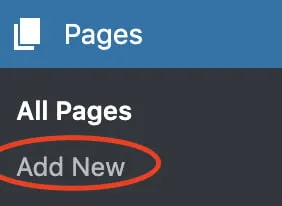
- Click Pages and use the Add New button located at the top of the screen

Each method takes you directly to the page creation screen.
Another Way to Add a Page
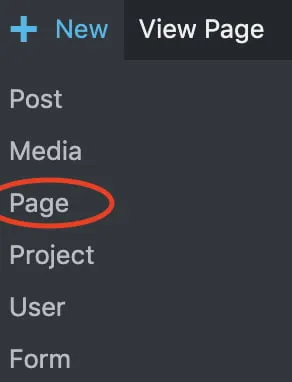
You can also hover over the New option in the top navigation bar. A dropdown menu will appear where you can select Page to create a new page instantly.
Setting Up Your New Page
Once your new page has been created, it’s time to establish the basic structure before adding content.
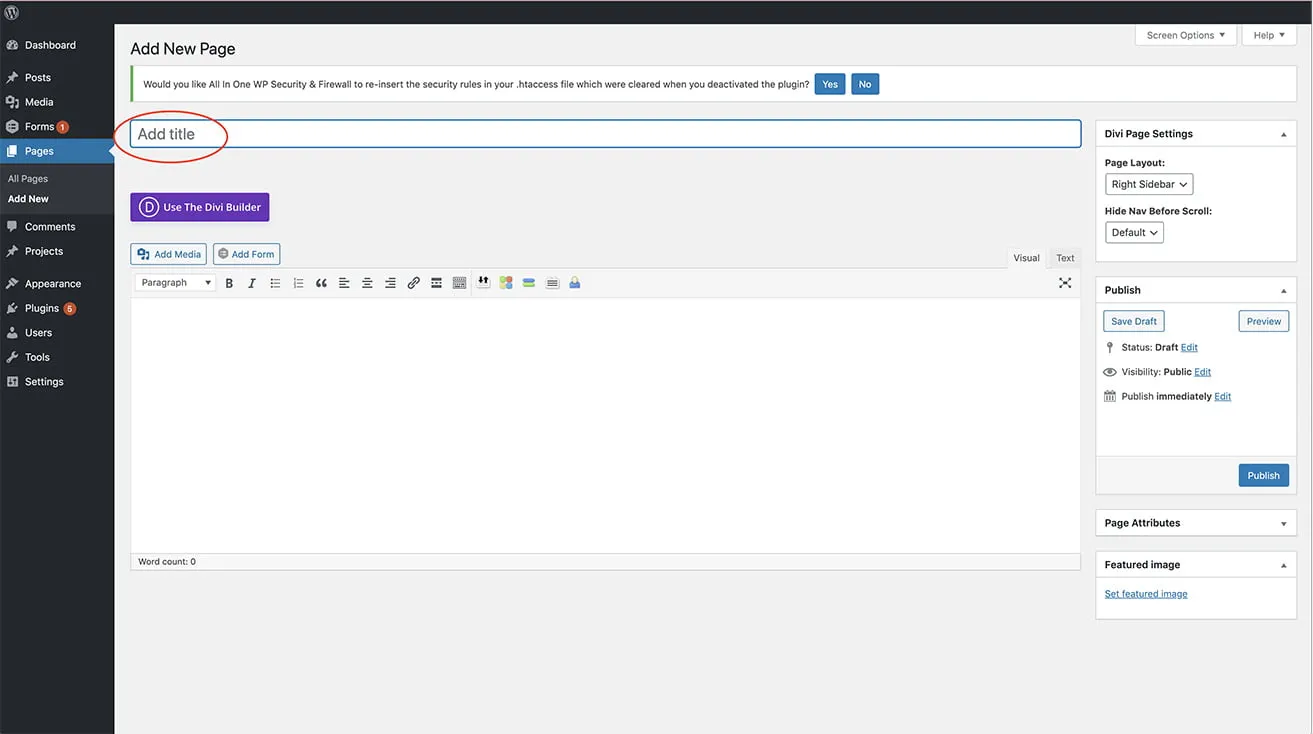
Page Title
Every page needs a title. The title determines both the page name and, in many cases, part of the page URL. For example, if you’re creating an About page, your page title would simply be “About.”
A clear title helps both visitors and search engines understand the purpose of the page.
Using Divi Builder for Consistent WordPress Web Design
If your site uses Divi, this step is important for maintaining consistent WordPress web design across your website.
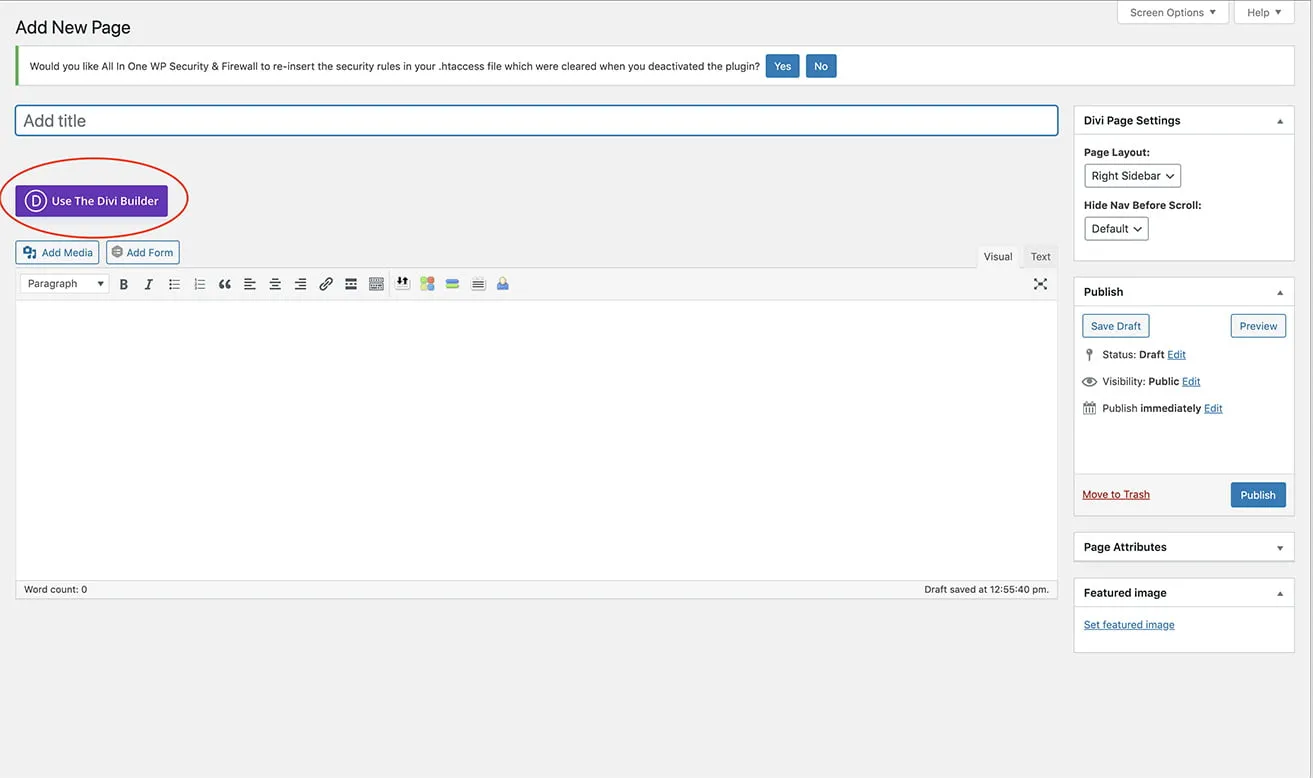
Use Divi Builder
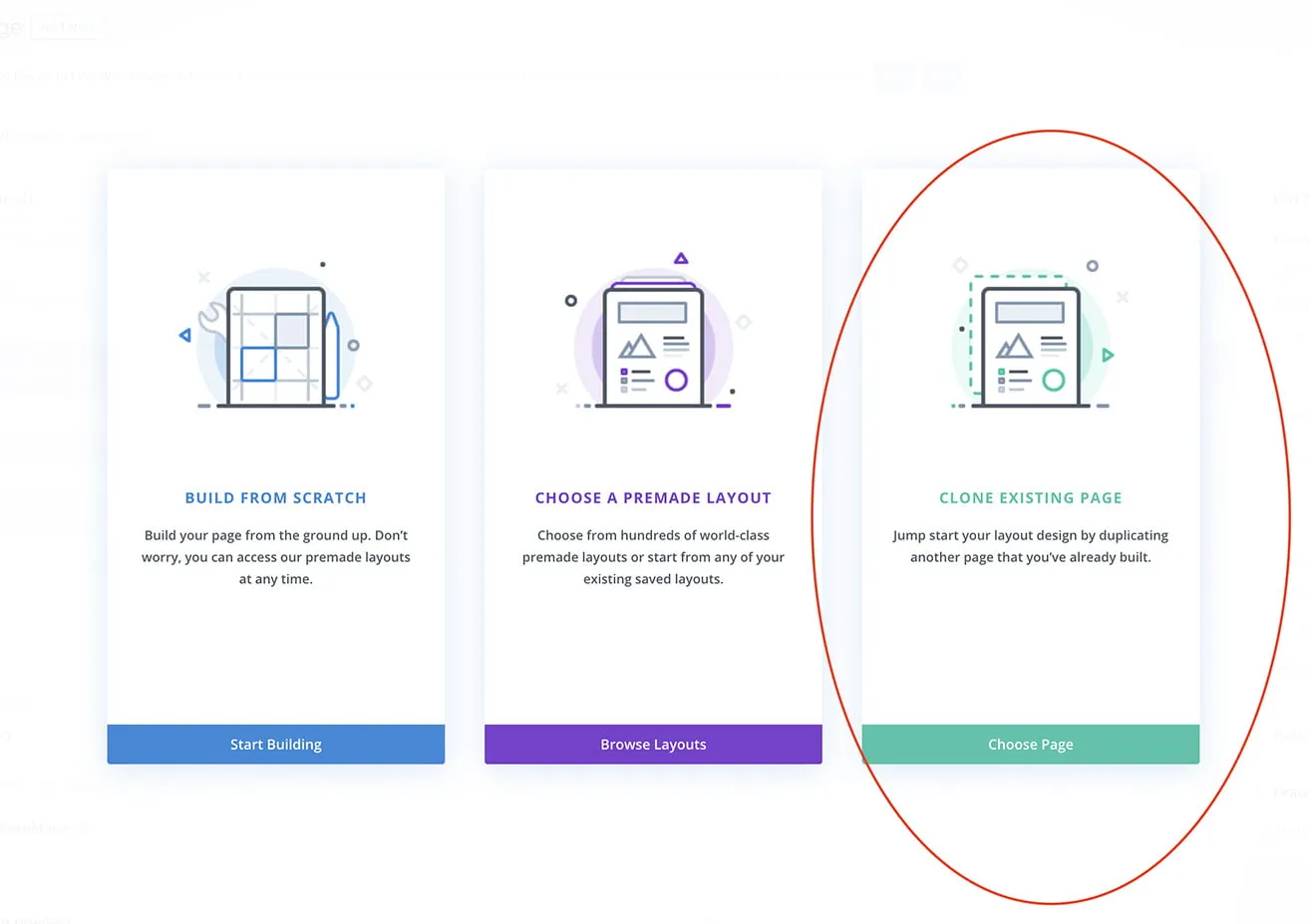
After entering your page title, click the Use The Divi Builder button beneath the title field. Using Divi helps maintain consistent styling, layouts, and functionality throughout your WordPress website OKC.
Once Divi launches:
- Select Clone Existing Page
2. Choose an existing page that closely matches the layout you need
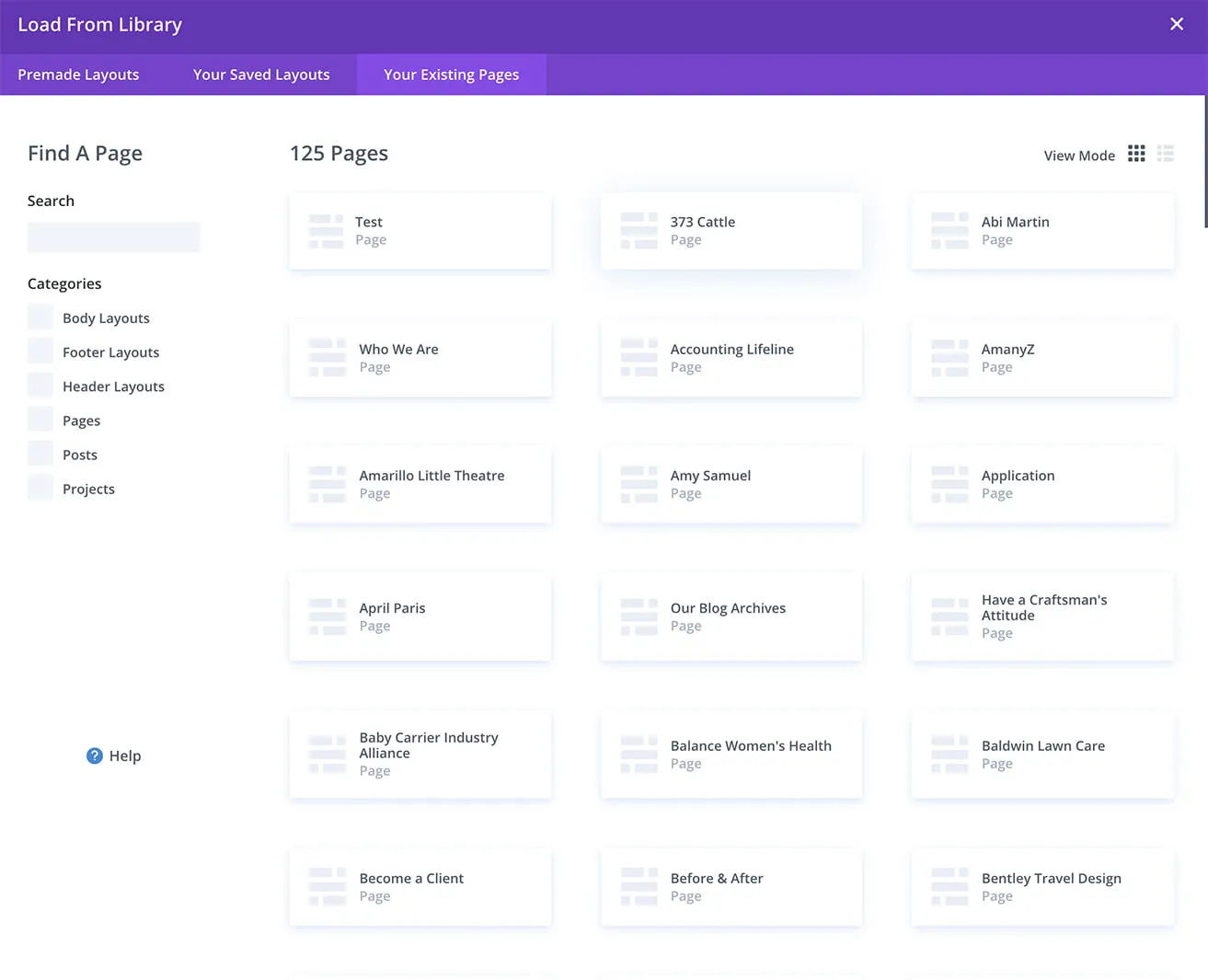
3. Allow Divi to duplicate the structure and modules from that page
Cloning an existing page saves time and helps maintain brand consistency across your website.
Customize Your Page
After cloning the page, you can edit existing content and add new elements as needed.
You can modify:
- Sections
- Rows
- Text Modules
- Images
- Buttons
- Forms
- Other Divi modules
This flexibility allows you to create custom content while maintaining a cohesive design throughout your website. Maintaining consistency is an important part of professional website design OKC projects because visitors expect a seamless experience across every page of a website. Consistent spacing, typography, navigation, and branding create a better user experience while making future website management more efficient.
What Makes an Effective WordPress Page?
Creating a page is only the beginning. An effective WordPress page should be designed to help visitors quickly find information and take action. When building a page, consider the following:
- A clear purpose that aligns with user needs
- Organized headings that improve readability
- Helpful content that answers common questions
- Internal links that guide visitors to related information
- Mobile-friendly layouts that work across devices
- A clear call to action that encourages the next step
These elements help create a stronger user experience while supporting long-term website performance.
Tips for Managing a WordPress Website
When creating new pages, keep these best practices in mind:
- Maintain consistent branding across all pages
- Use headings to improve readability
- Optimize images before uploading them
- Keep page layouts clean and easy to navigate
- Review your page on desktop and mobile devices before publishing
- Include clear calls to action when appropriate
Regularly reviewing page performance, updating outdated information, and ensuring all links remain functional can help keep your website useful for visitors and search engines. These simple practices help improve user experience and make your WordPress website easier to maintain over time.
Frequently Asked Questions
Do I need a page builder to create pages in WordPress?
No. WordPress includes a built-in editor that allows you to create pages without additional tools. However, page builders such as Divi can provide more design flexibility and help maintain consistent styling.
Should I clone an existing page or start from scratch?
It depends on your goals. If the new page needs a similar layout to an existing page, cloning can save time. If the content requires a completely different structure, starting from scratch may be the better option.
What pages should every business website have?
Most business websites benefit from having a homepage, about page, service pages, contact page, and any industry-specific pages that help visitors learn more about the business.
How do I know if my page is ready to publish?
Review your content, images, links, formatting, and mobile appearance before publishing. Ensuring everything works correctly helps create a better experience for visitors.
Why is page structure important for SEO?
A clear page structure helps visitors find information quickly and makes it easier for search engines to understand the content. Using descriptive headings, organized content sections, and internal links can improve usability and support long-term SEO efforts.
Key Takeaways
- Creating a new page in WordPress only takes a few steps once you know where to find the page editor.
- Planning your content before building the page helps create a better user experience.
- Using a page builder such as Divi can help maintain consistent styling across your website.
- Cloning an existing page can save time when creating new content with a similar layout.
- Reviewing your page before publishing helps ensure everything looks and functions correctly.
- Effective pages focus on user experience, organization, and clear calls to action.
Need Help Building a Page on WordPress?
Building pages becomes much easier with experience, but having the right structure and tools in place can save significant time and effort. At myheartcreative, we help businesses create, manage, and grow professional WordPress websites that are designed for both users and search engines. Whether you’re managing a small business site or a larger web design in Oklahoma City project, properly structured pages contribute to a stronger user experience and easier website maintenance.
If you are our client and are in need assistance creating pages, updating content, or improving your website’s performance, please contact us. Our team is always happy to help.